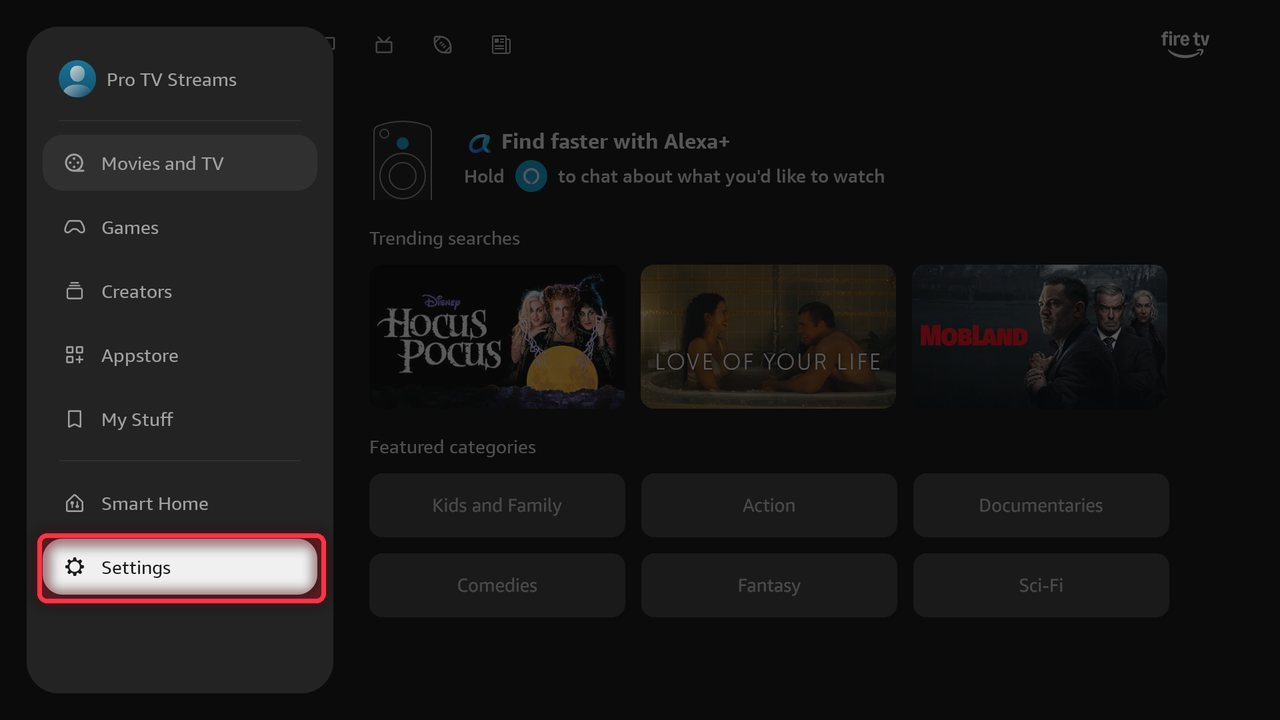
Press Home, then LEFT twice to open the menu. Select Settings at the bottom.
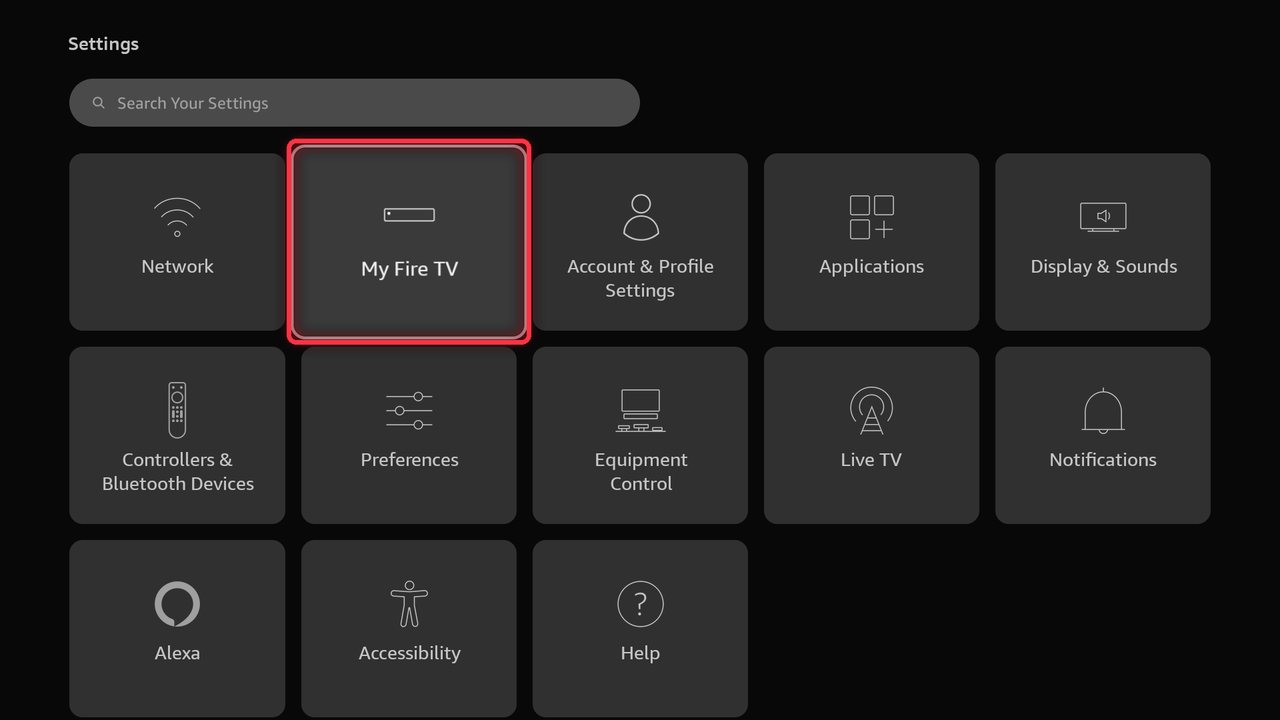
Select My Fire TV.
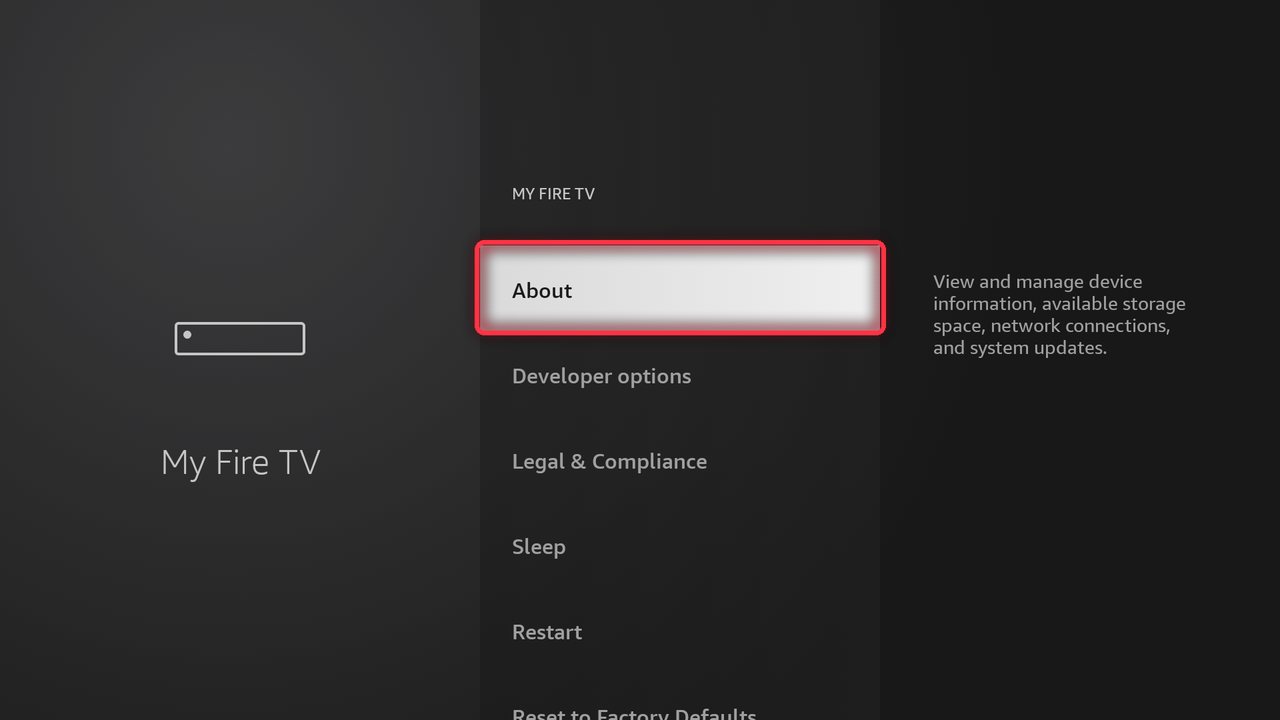
Select About.
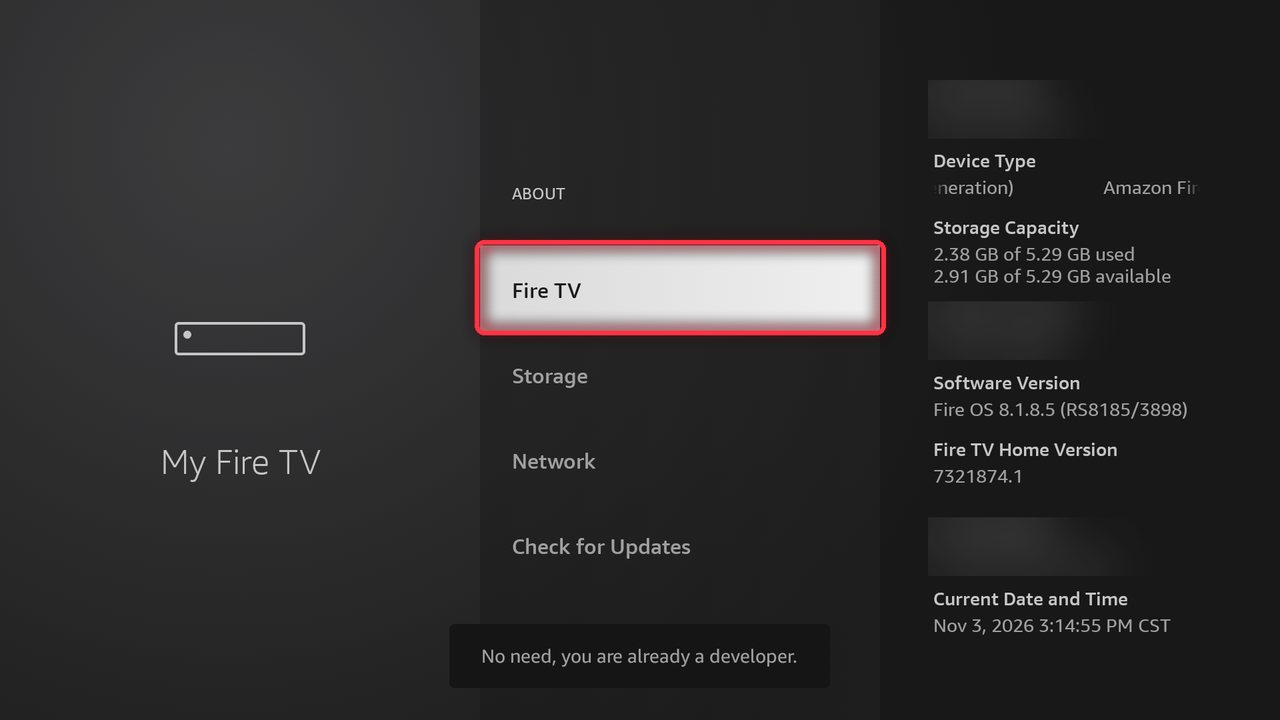
Press OK on your device name (top of the list) 7 times, until it says "You are now a developer". "Already a developer" means you're set.
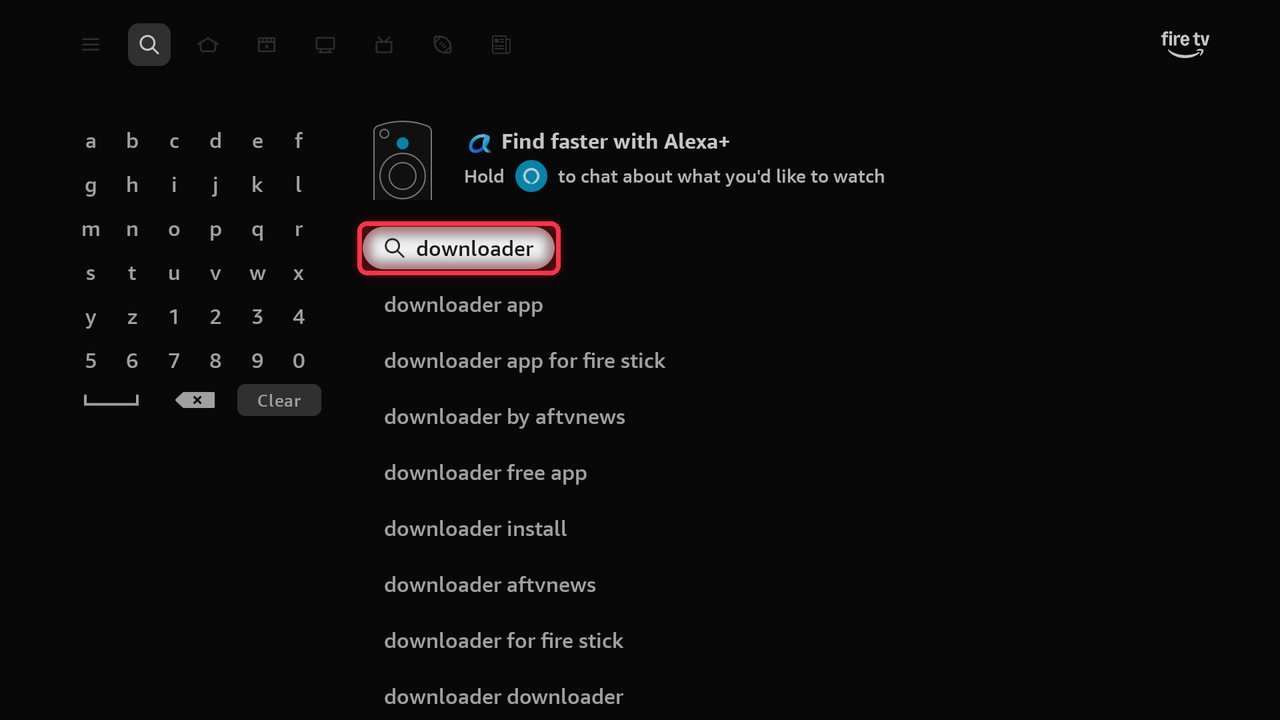
Press Home, go to the 🔍 search, type downloader and select it.
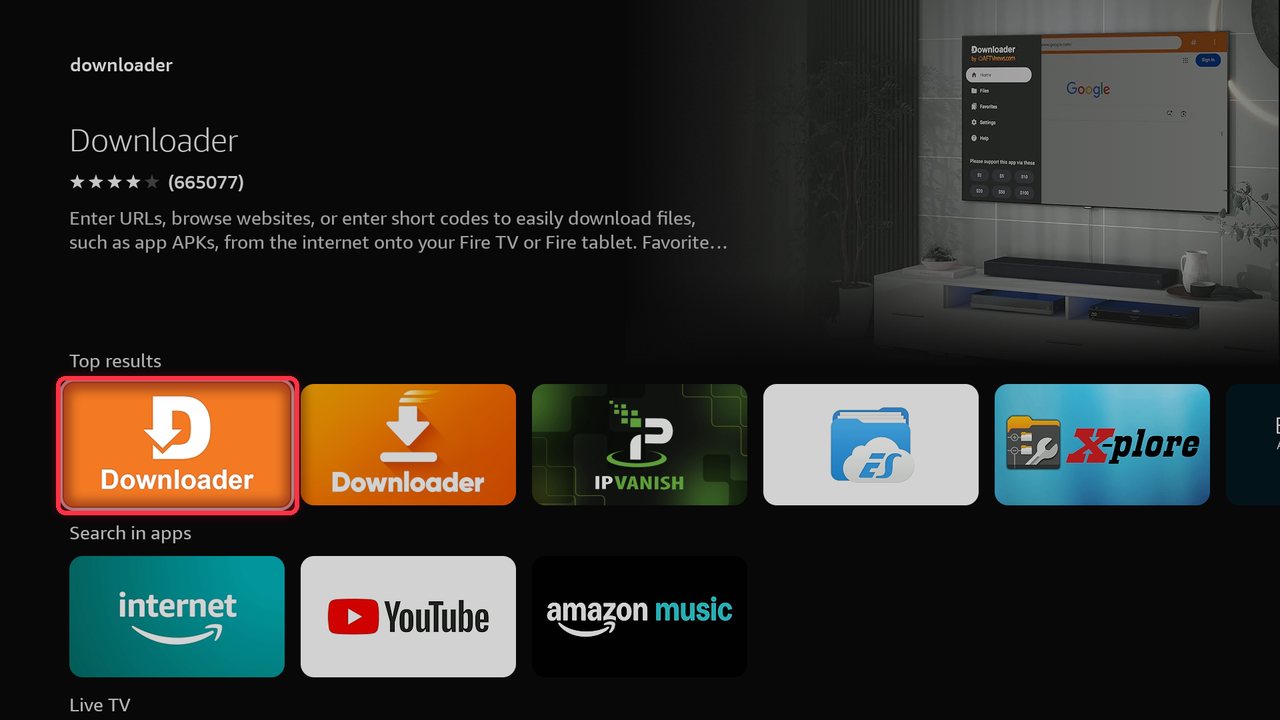
Select the orange Downloader app (not the look-alike next to it).
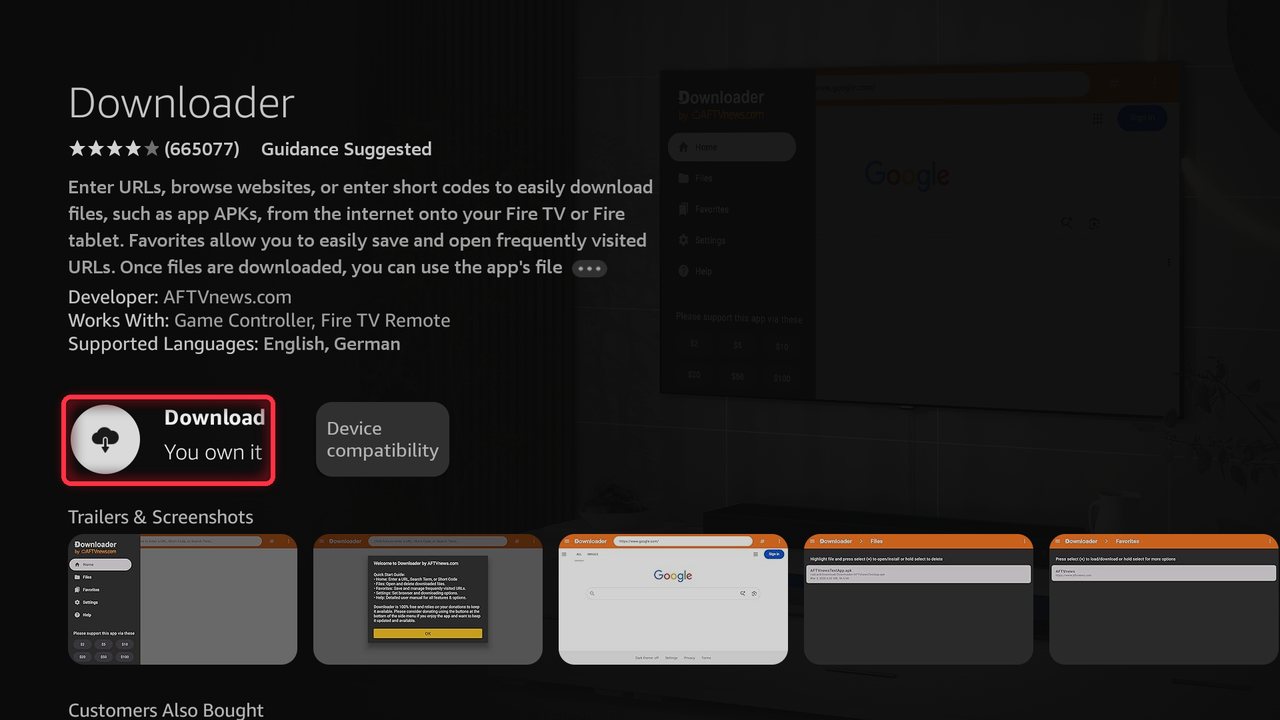
Select Download. It opens by itself; close any pop-ups.
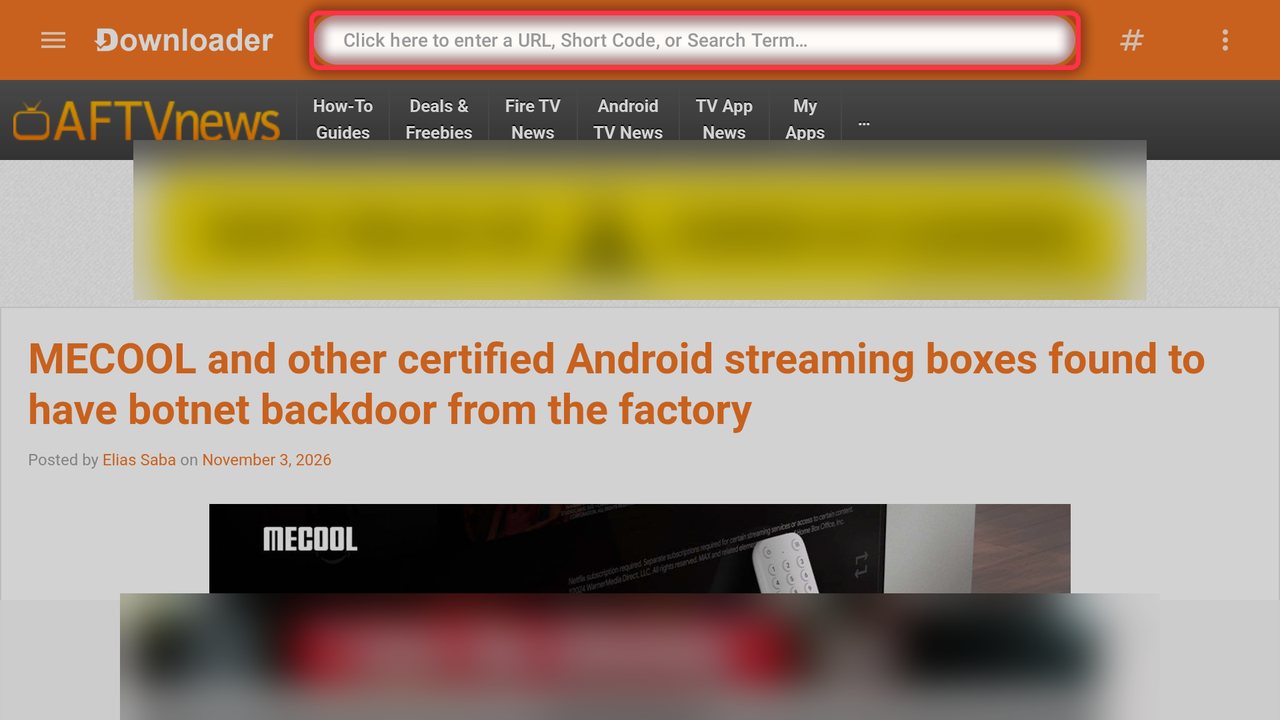
Downloader opens on a news page (ignore the ads). Hold UP until the white bar at the top is outlined in yellow, then press OK.
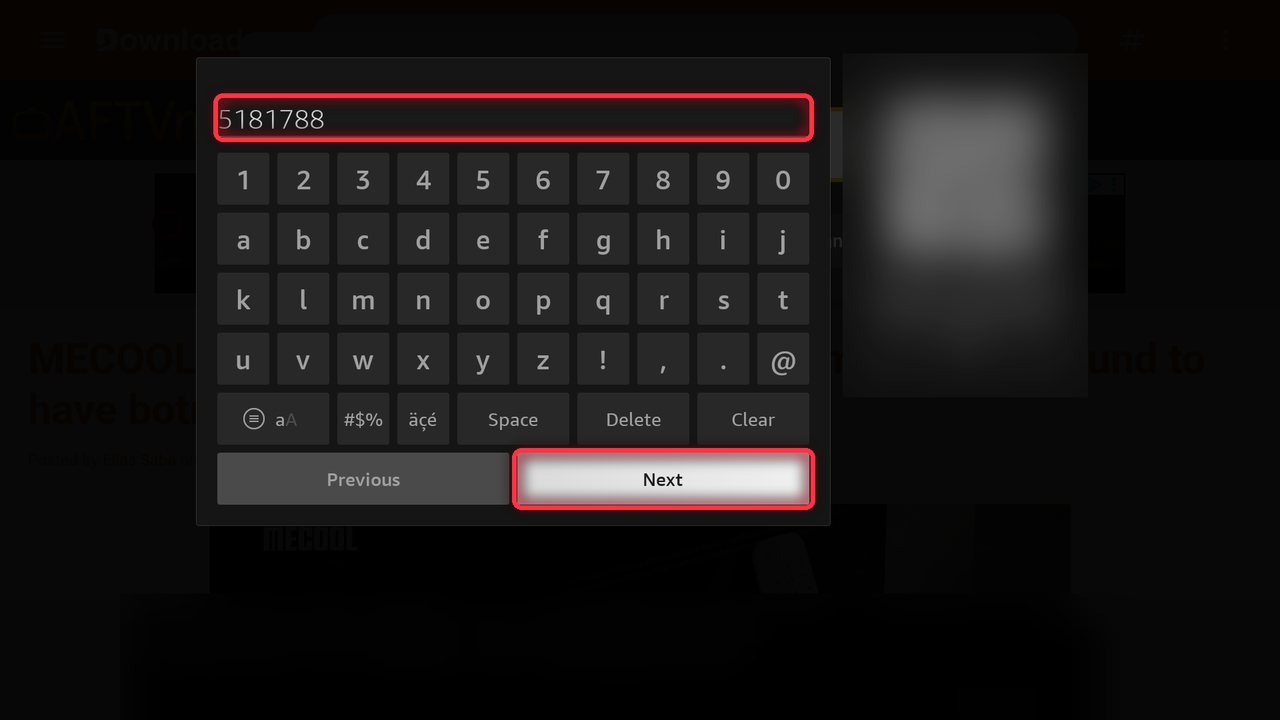
Type 5181788 and select Next.
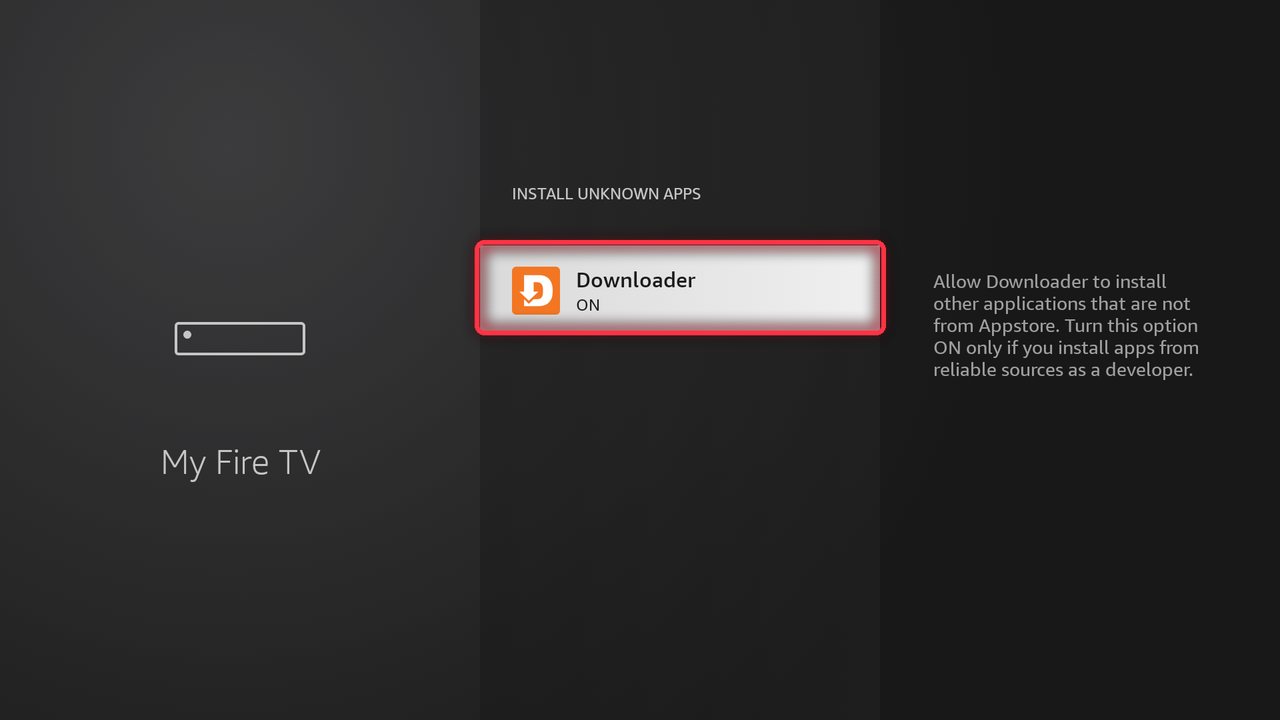
The first time, a message says your TV isn't allowed to install unknown apps. Select Settings, then Install unknown apps, and turn Downloader ON. Press BACK twice to get back to Downloader.
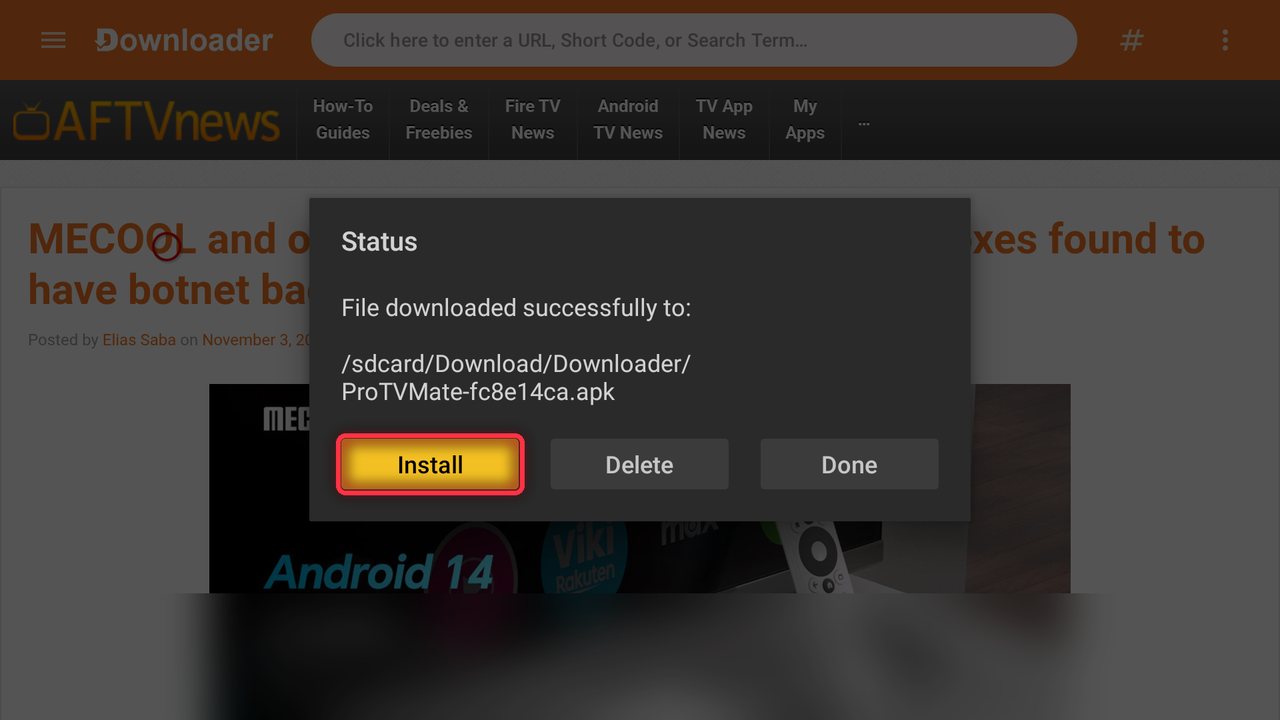
When the download finishes, select Install.
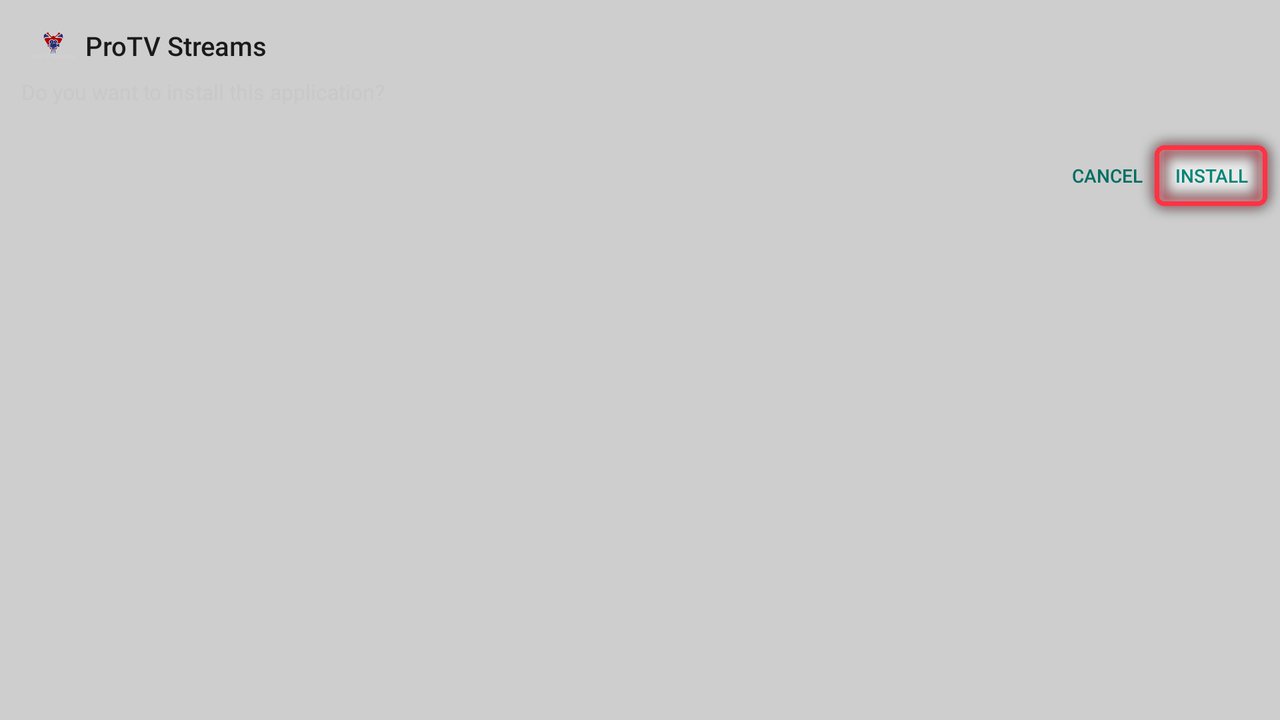
Select INSTALL (it starts on Cancel).
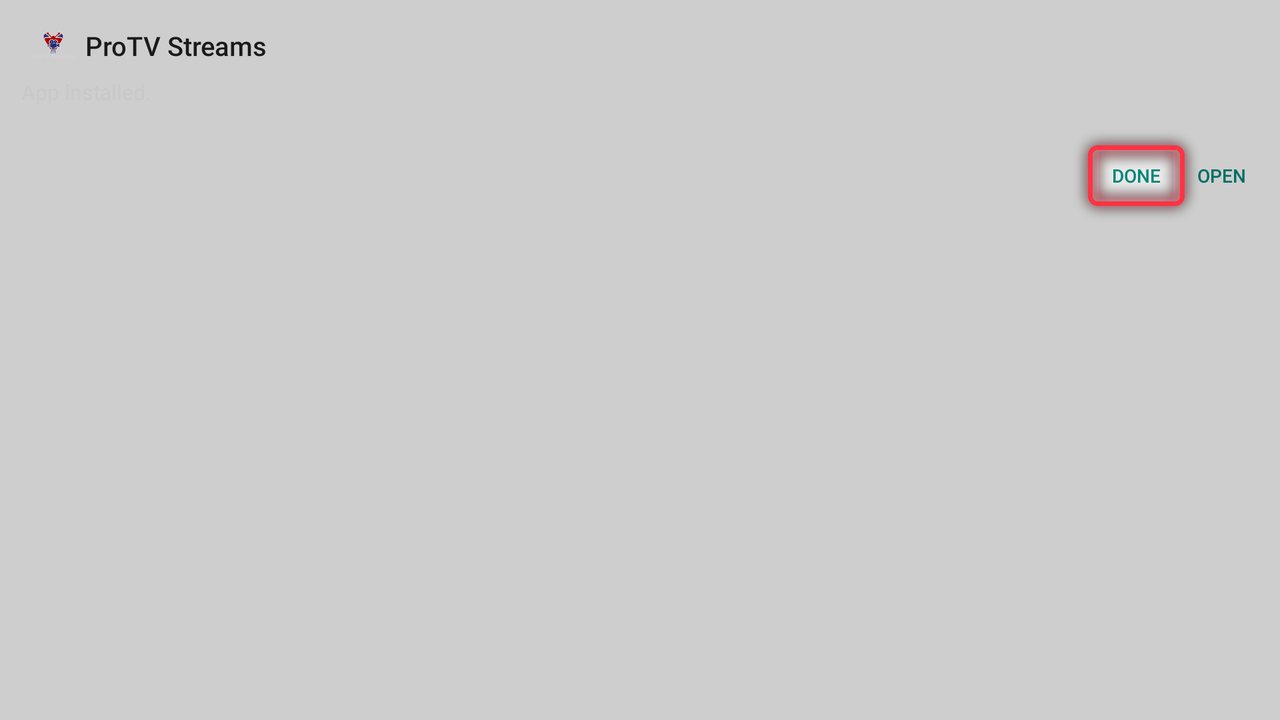
Select DONE.
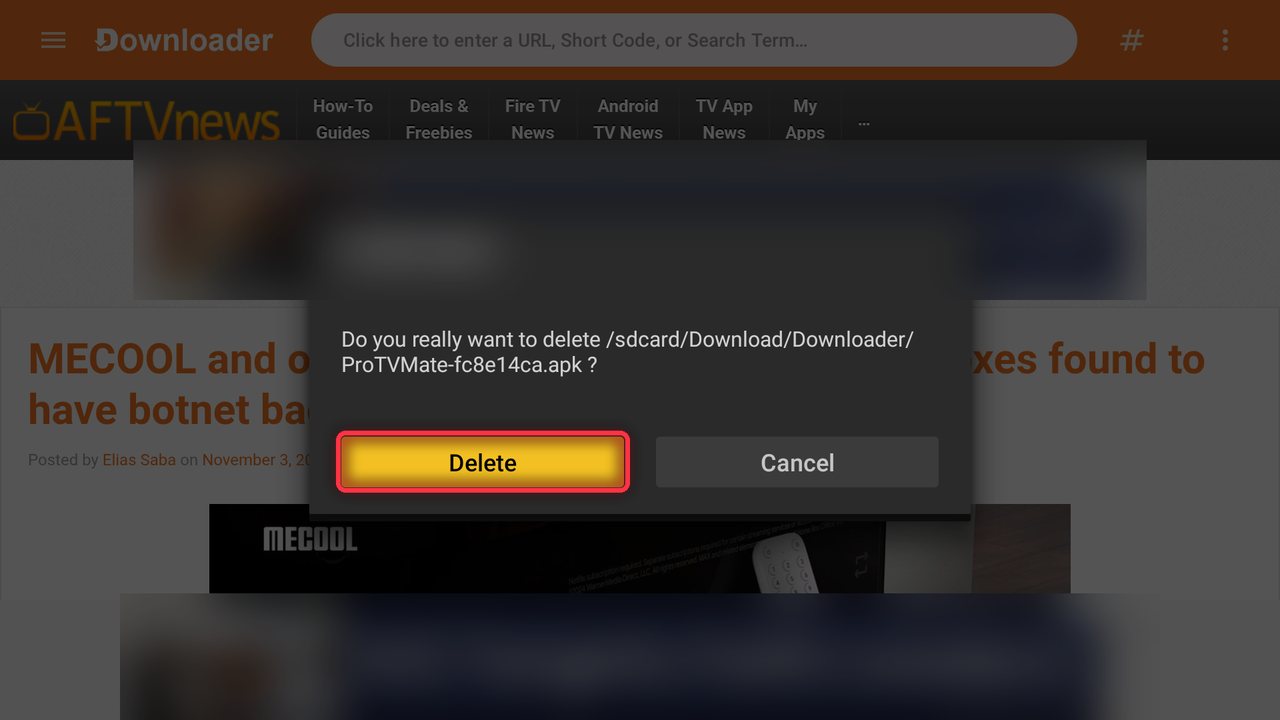
Select Delete, then Delete again. This only frees up space.
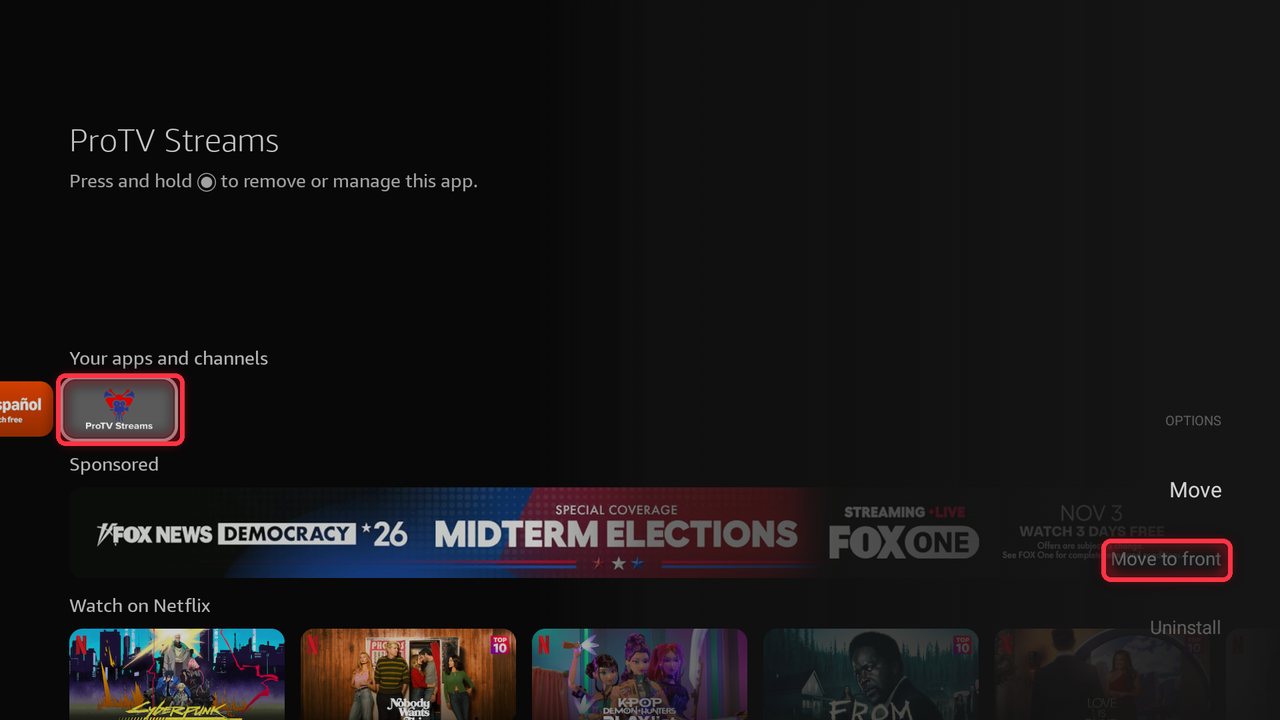
Press Home, find ProTV Streams at the end of your apps row, hold OK and choose Move to front.
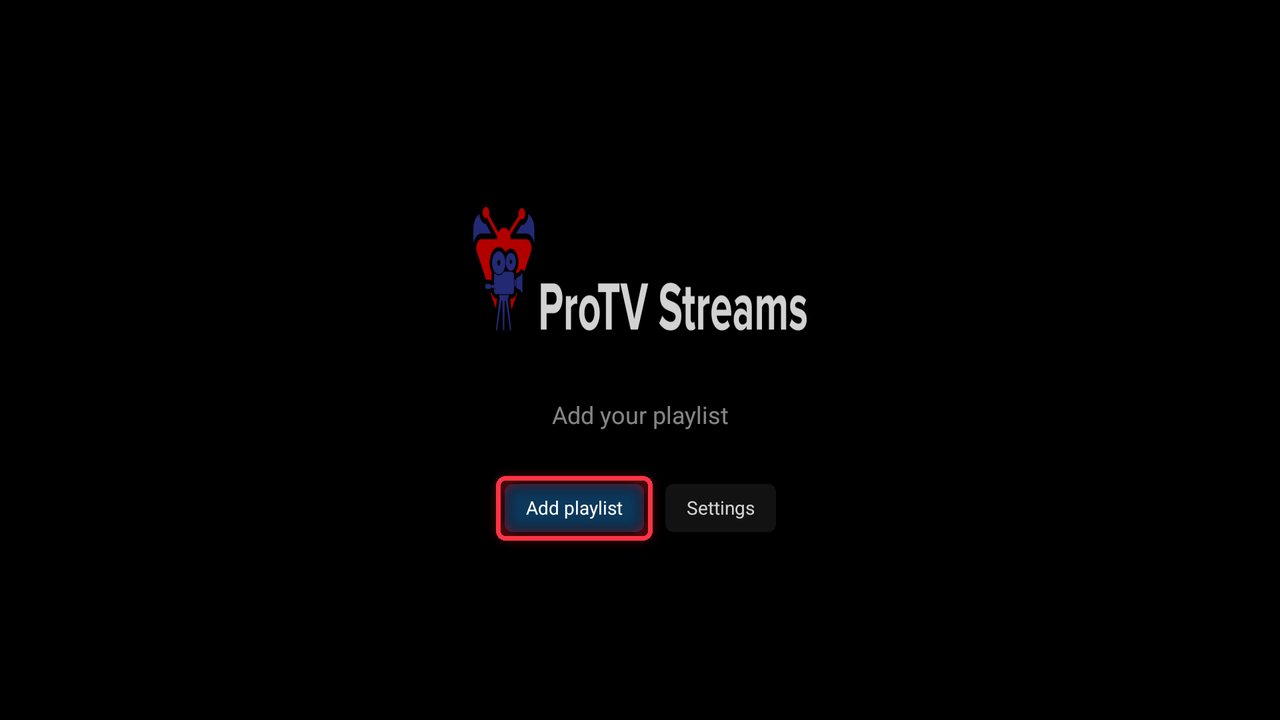
Open ProTV Streams and select Add playlist.
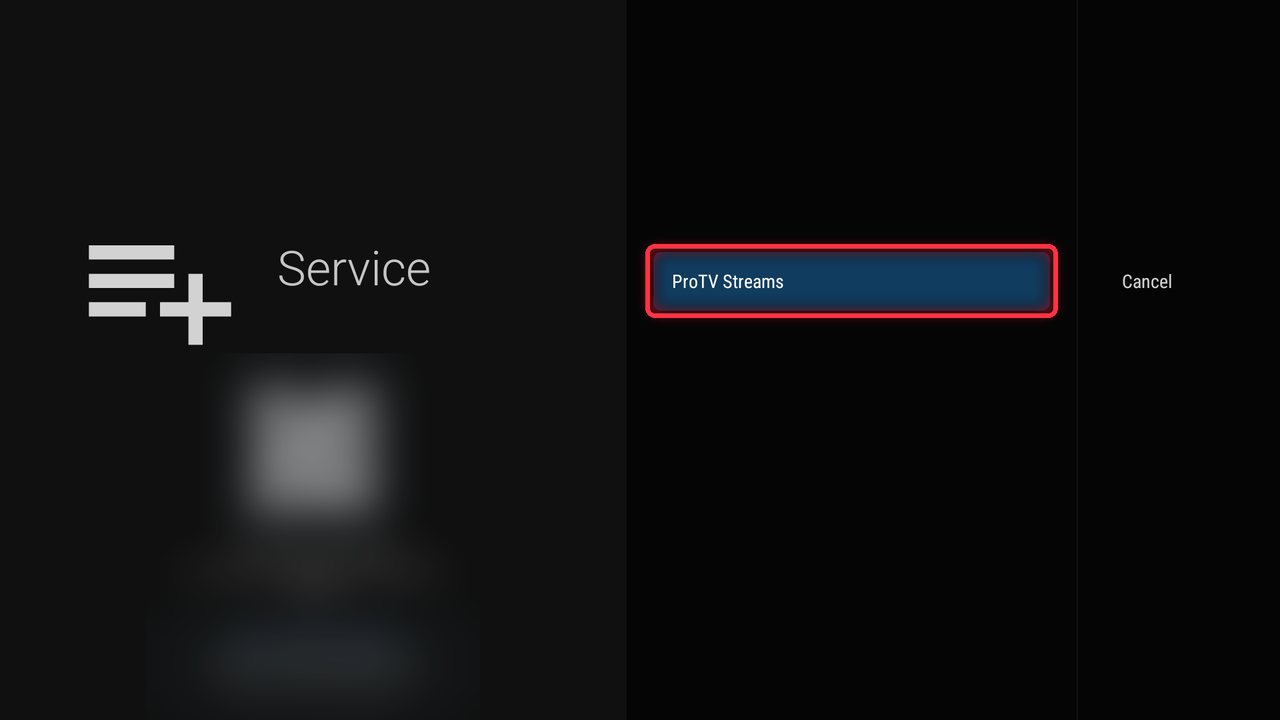
Select ProTV Streams.
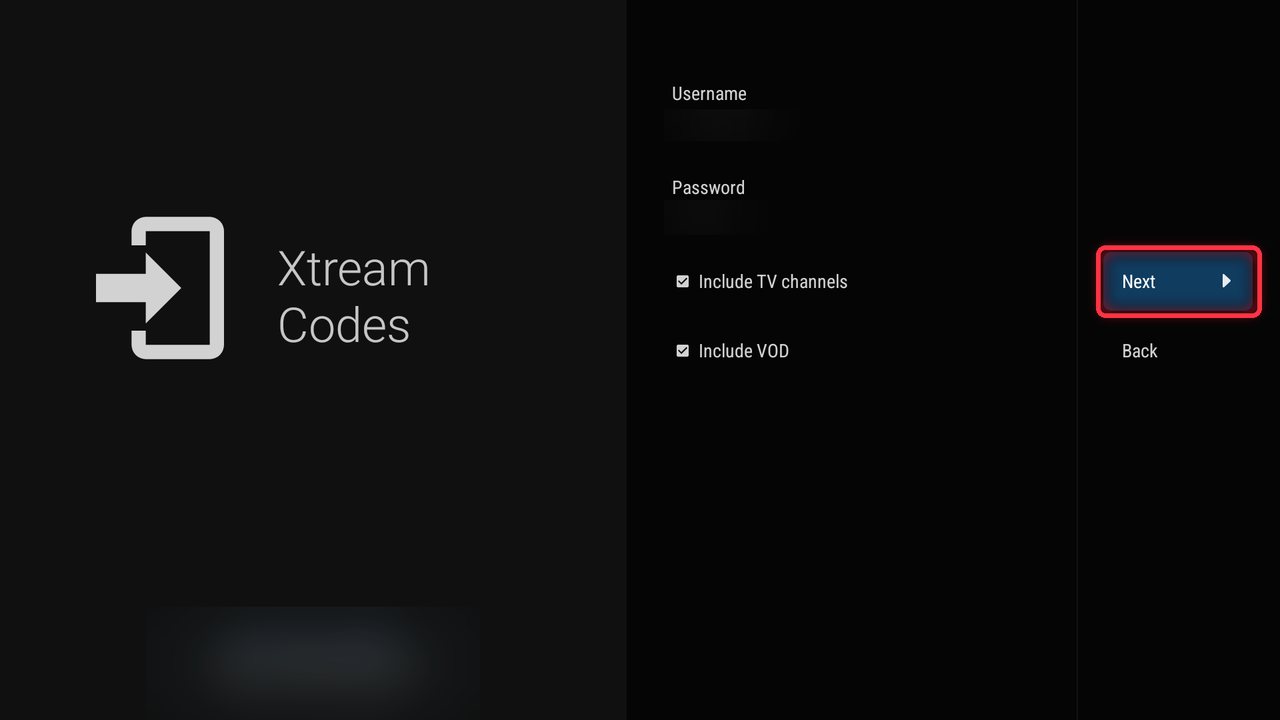
Enter the username and password we sent you (capitals matter). Leave both boxes ticked and select Next on the right.
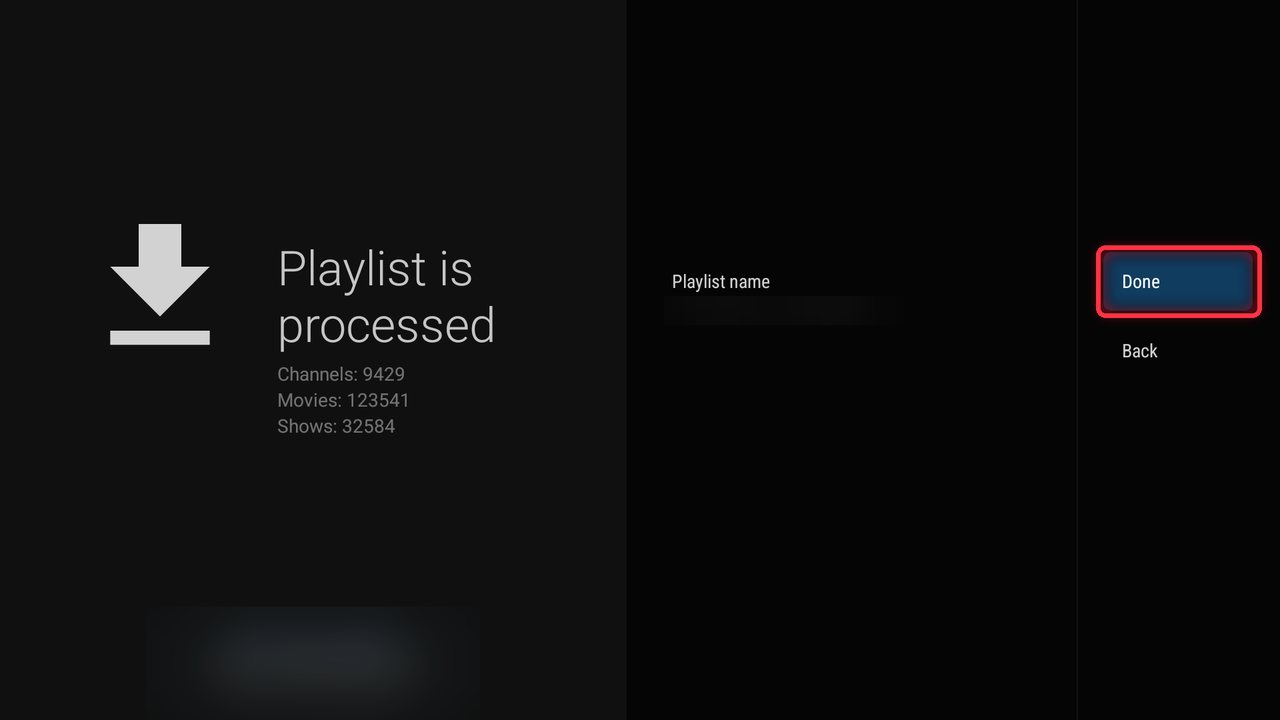
Give it about a minute, then select Done. Wait for the TV guide to open.
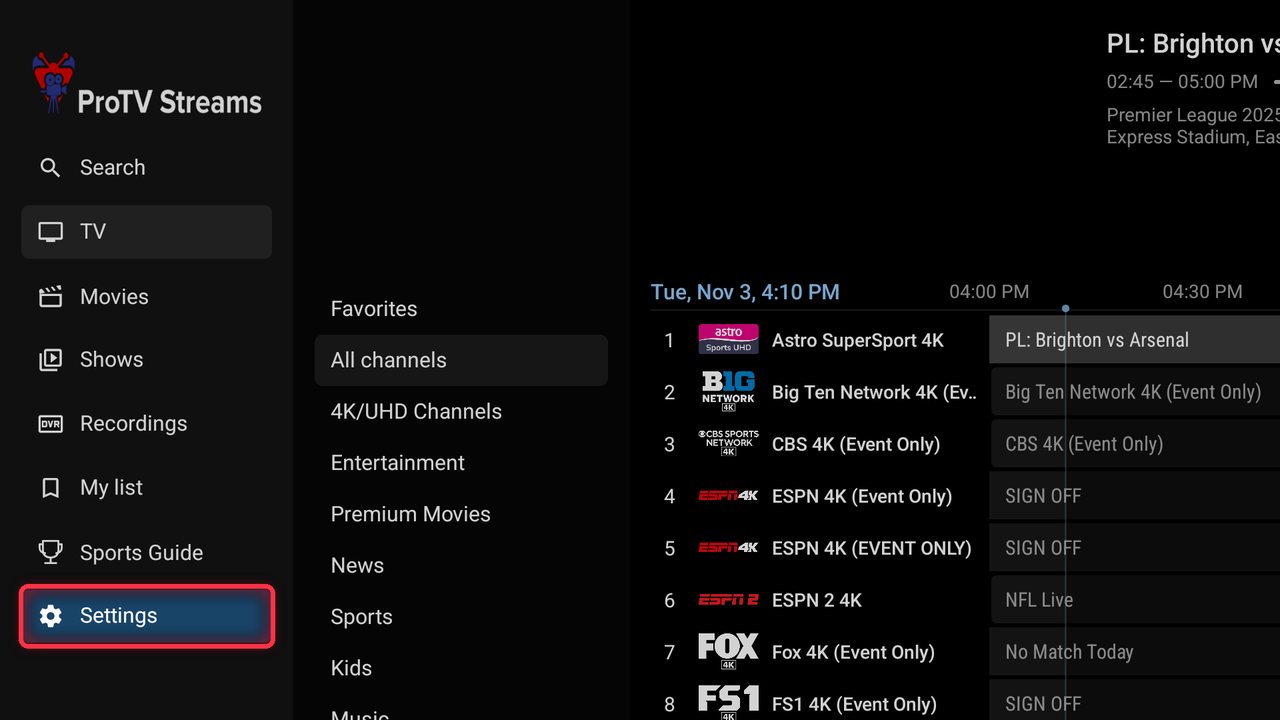
Press LEFT twice to open the menu and select Settings at the bottom.
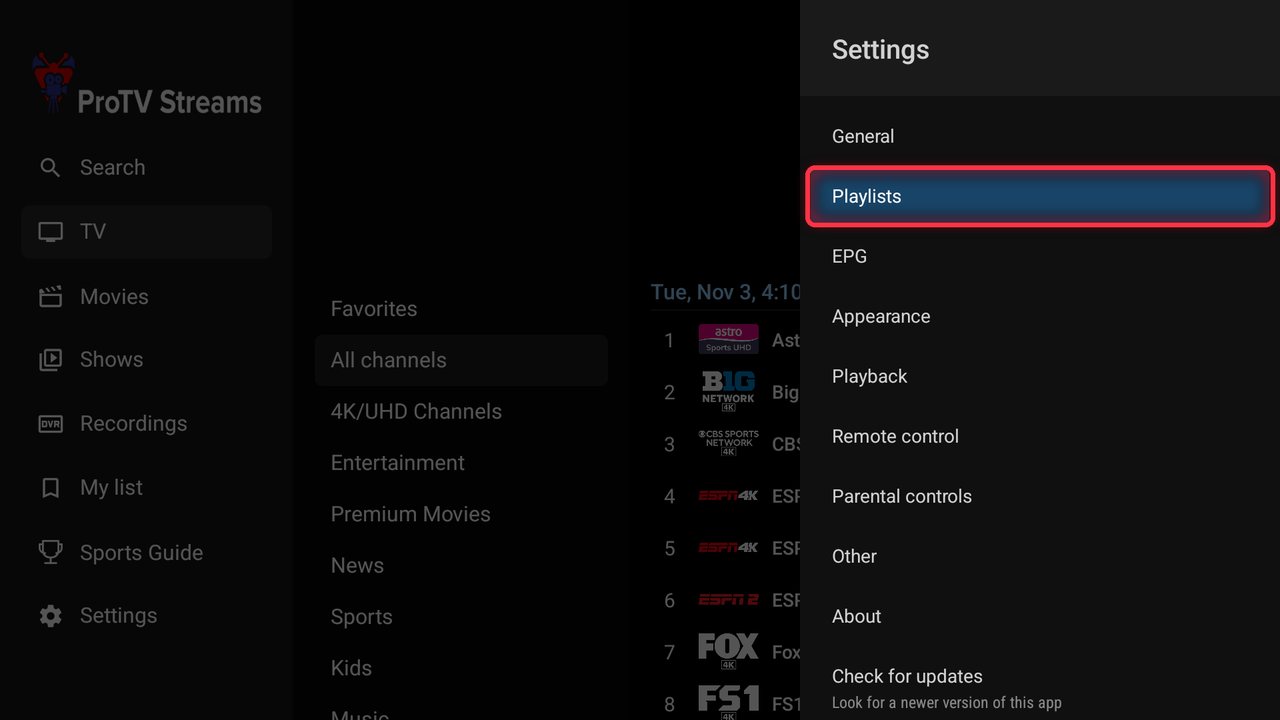
Select Playlists.
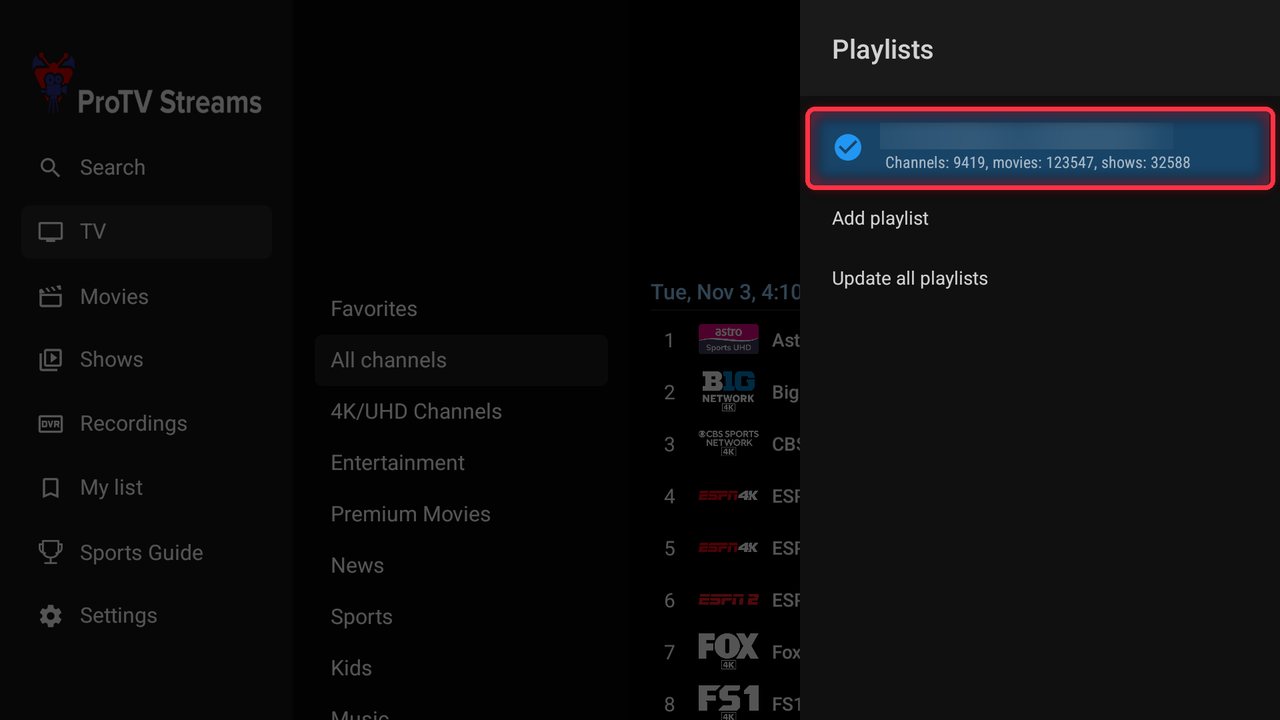
Select your ProTV Streams playlist.
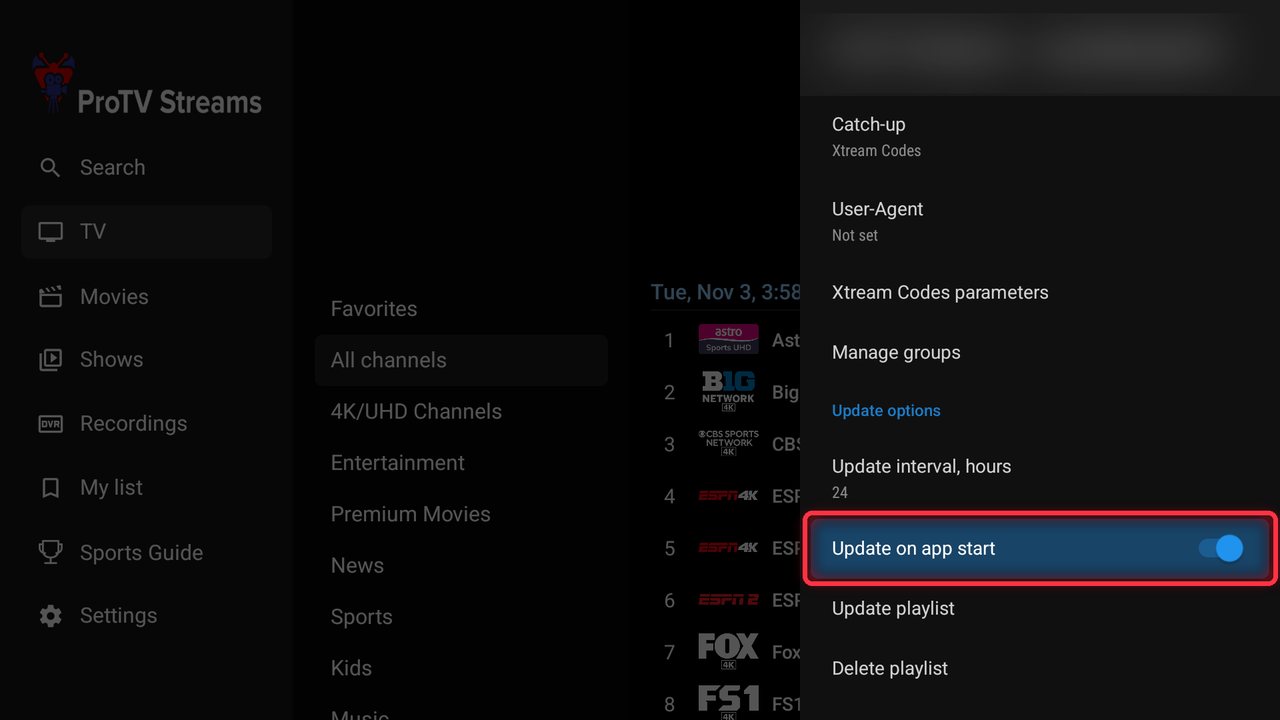
Scroll down and turn on Update on app start.
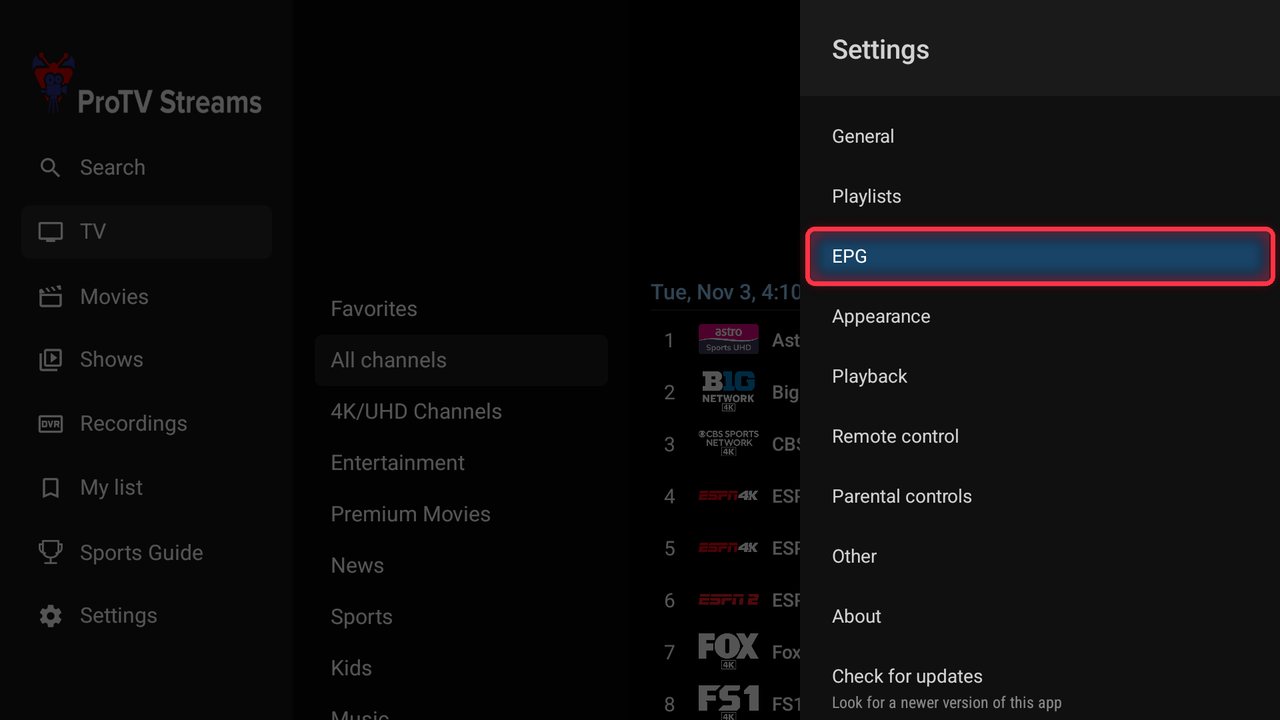
Press BACK twice and select EPG.
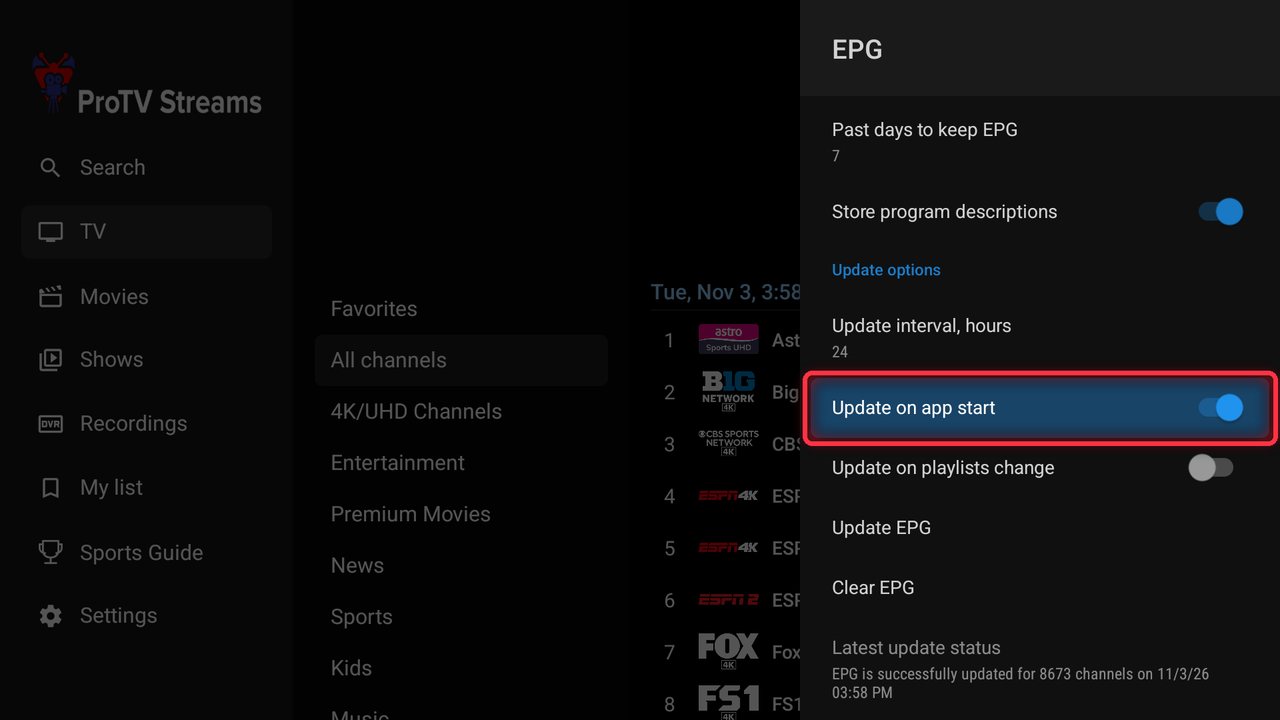
Turn on Update on app start here too.
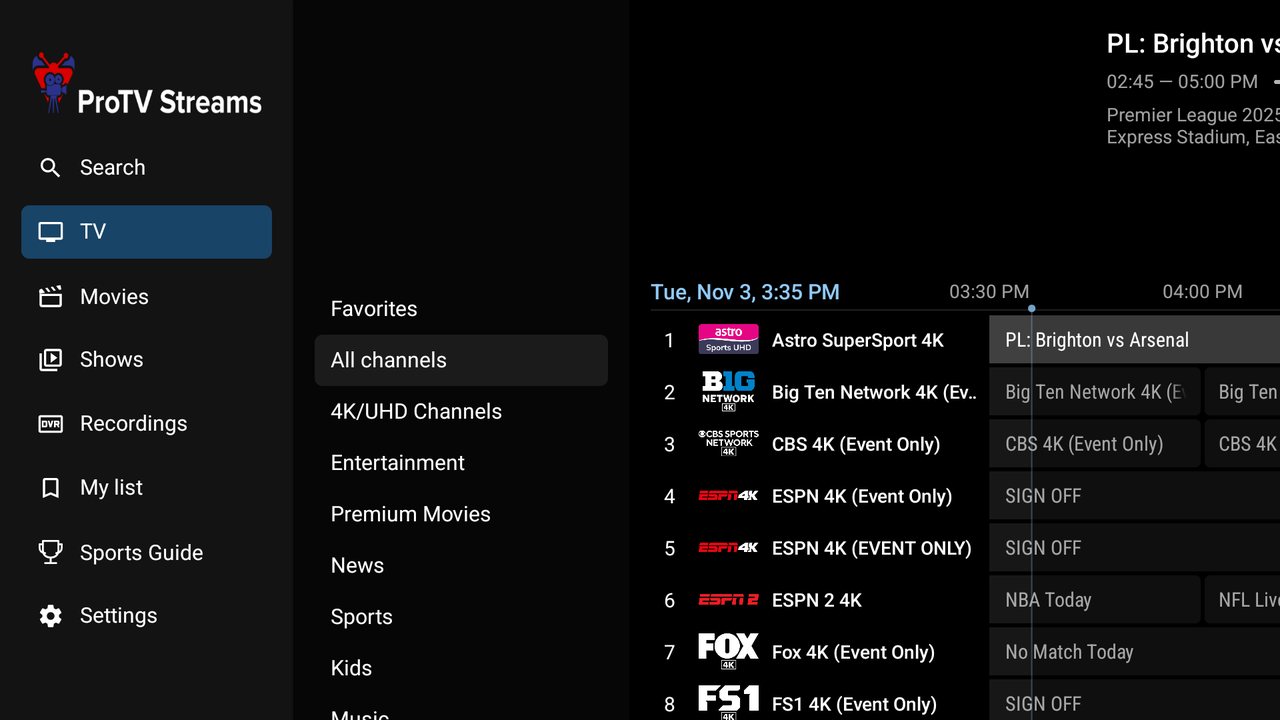
Press BACK twice to close Settings. To watch, pick a channel and press OK. Press LEFT twice any time for Movies, Shows and the Sports Guide.
Tell us which step number you're on and we'll walk you through it.